
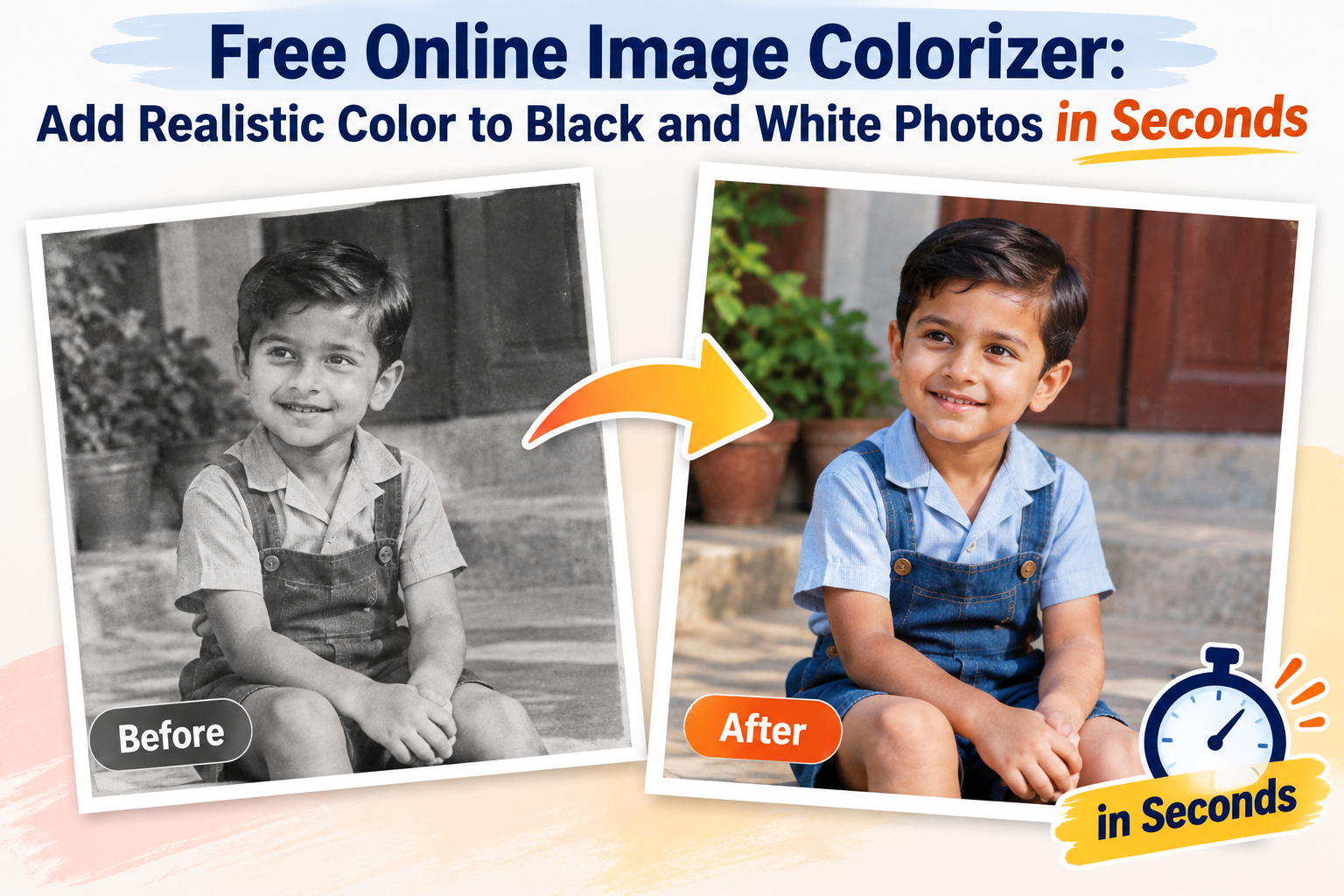
Black and white photos carry a lot of history, but they can also feel harder to connect with than color ones. Faces feel further away. Scenes feel older than they actually are. A Steller’s free online image colorizer closes that gap by adding realistic, natural color to grayscale photos automatically, no editing software or design skills needed.
This isn’t about painting over an old photo with random colors. AI-based colorization is built to look plausible and true to life, so a colorized photo of a 1970s backyard barbecue actually looks like it belongs in the 1970s, just in color instead of gray.
Why So Many Photos Are Still Black and White
Color film and digital color photography are relatively recent developments compared to how long photography has existed. That means entire decades of personal and public history, family albums, newspaper archives, old ID photos, are locked in grayscale simply because that was the only format available at the time.
Even more recently, plenty of photos exist in black and white by choice or by camera setting, and some old scans lose their color entirely due to fading, damage, or low-quality film processing. Whatever the reason, the result is the same: a photo that could look far more vivid and current, but doesn’t, because it was never captured in color to begin with.
How the Colorization Actually Happens
Manually colorizing a photo means picking colors by hand for skin, clothing, sky, and background, then blending everything so it doesn’t look like a paint-by-numbers job. It takes real skill, and even skilled colorists spend a long time on a single image.
AI does this differently. The model has been trained on enormous numbers of real color photographs, learning the common relationships between grayscale shading and actual color, what skin tones typically look like, how skies and foliage are usually colored, how fabric and wood tend to appear. When a black and white photo is uploaded, the AI reads the shapes, textures, and light patterns in the image and fills in colors that are statistically likely to be correct based on everything it has learned.
It’s an estimate, not a guarantee of historical accuracy, but for most everyday photos, portraits, family gatherings, outdoor scenes, the results tend to look convincing and natural rather than artificial.
Who Actually Uses a Tool Like This
Photo colorization sounds like a niche hobby until you notice how often it comes up in real life:
Families going through old photo albums, digitizing decades of black and white prints and wanting to see relatives the way people actually remember seeing them, in color.
People building out a family tree or genealogy project, where colorized versions of archival photos make old relatives feel more real to younger generations who never met them.
Bloggers, YouTubers, and history accounts, since colorized historical photos consistently perform better with audiences than the same image in grayscale.
Local history groups, schools, and small archives trying to make old community photos feel more approachable for people browsing them today.
Anyone turning an old photo into a gift, since a colorized print of a childhood photo or a parent’s wedding day tends to land as a genuinely meaningful surprise.
Why It Being Free and Browser-Based Actually Matters
Hiring someone to colorize photos by hand costs real money per image, and desktop editing software has a learning curve most people don’t want to deal with for a one-off project. A free, browser-based colorizer removes both problems. There’s nothing to install, no account required, and no fee per photo. You upload the image, the AI processes it, and you download a colorized version straight away.
That accessibility matters most for the people who’d benefit from this the least expect it, someone with a box of inherited family photos and no design background, who just wants to see them differently.
Frequently Asked Questions
Do I have to pay or sign up to use this? No. You can colorize black and white photos for free without creating an account or paying anything.
How realistic are the colors the AI adds? The AI generates plausible, natural-looking colors based on patterns learned from millions of real photos. It doesn’t know the exact original colors of your specific photo, but for common subjects like skin, sky, and greenery, the results are usually convincing.
Does it work on old, damaged, or low-quality scans? It can, though results depend on image clarity. Well-preserved, clearly lit black and white photos colorize more accurately than heavily faded, torn, or very low-resolution scans.
Can I use this on modern black and white photos, not just old ones? Yes. Any grayscale image works, whether it’s a decades-old family photo or a black and white shot taken recently on a phone or camera.
Will colorizing affect the resolution or quality of my photo? No, the process adds color information without reducing image resolution. If the original scan is already low quality, that limitation stays the same after colorizing.
Is it safe to upload personal family photos? A trustworthy free colorizer processes uploads without storing or sharing them long-term. If you’re uploading sensitive or personal images, it’s worth checking the tool’s privacy policy first.





Leave a Reply